How to Get a 510 or 341 Oakland Business Phone Number

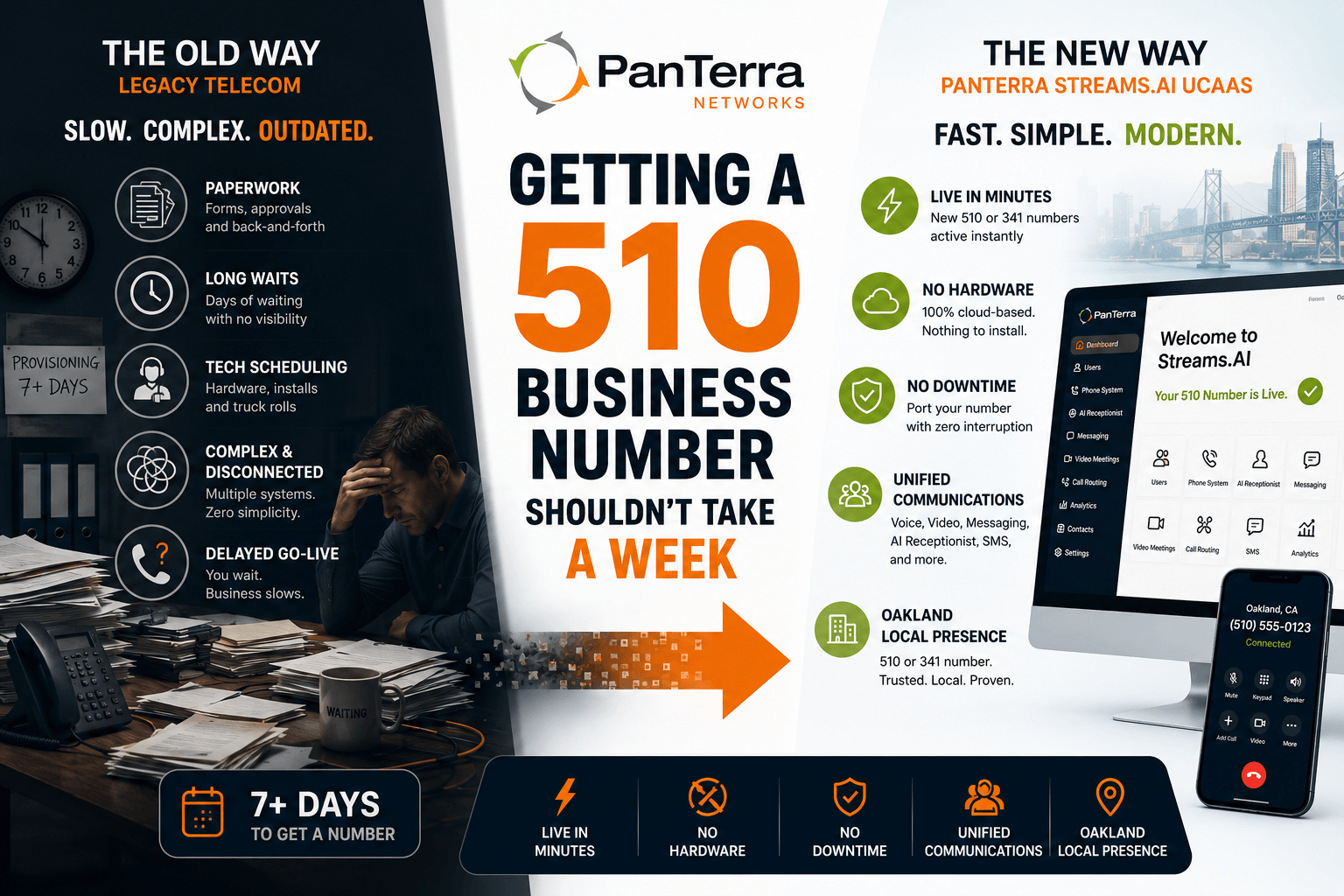
Getting a local Oakland business phone number used to mean calling your phone carrier, waiting a week, and hoping the provisioning went through before your go-live date. That process hasn't aged well. Most East Bay businesses that need a 510 or 341 number today can have one active in the same session — no hardware, no waiting, no carrier coordination required.
Here's how it works, what to expect, and what decisions you'll need to make along the way.
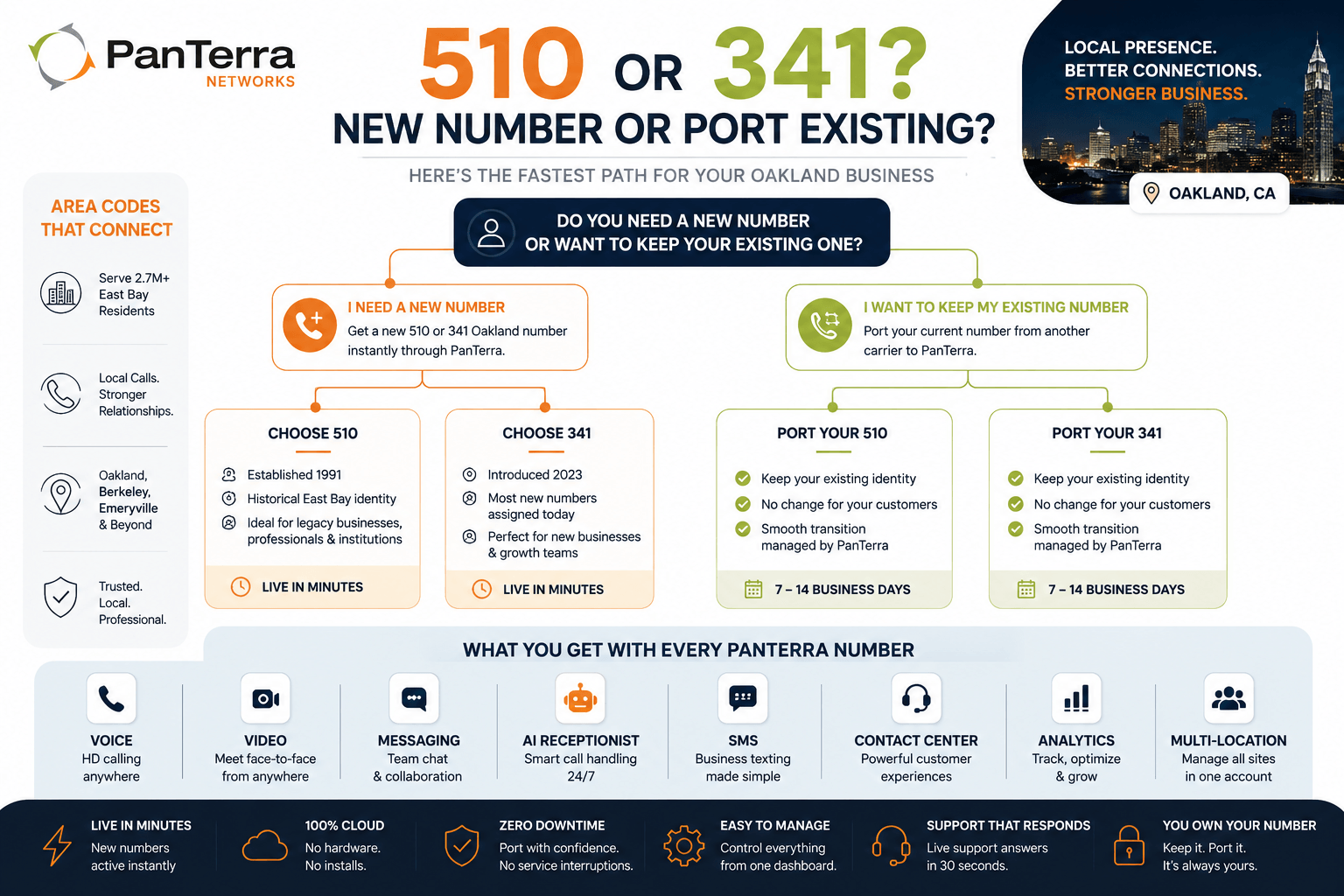
New Number vs. Porting an Existing Number
The first decision is whether you need a brand-new 510 or 341 number, or whether you're moving an existing number from another carrier.
Getting a new number
New Oakland area code numbers through PanTerra's Streams.AI UCaaS platform activate within minutes of account setup. You select the area code (510 or 341), choose from available numbers, and the number is live in your admin dashboard. No hardware needs to arrive. No technician needs to visit. For businesses launching in the East Bay market or adding Oakland area presence, this is a same-day process.
Porting an existing 510 number
If your business already has a 510 number from another carrier — AT&T, Comcast, Vonage, RingCentral, or any other provider — you can port that number to PanTerra. The number stays yours throughout the process. There is no gap in service.
Porting typically completes within 7 to 14 business days, depending on the releasing carrier. PanTerra's onboarding team manages the coordination. You'll need to provide your current account information and a Letter of Authorization, which PanTerra walks you through. During the porting window, your number continues to work on your existing carrier. On the cutover date, it moves to PanTerra with no interruption.
Choosing Between 510 and 341
Both 510 and 341 are valid local Oakland and East Bay area codes. Both read as local calls to East Bay recipients. The practical differences are minor, but worth understanding.
- 510 numbers carry the historical identity of the East Bay — established 1991, the original Oakland code. For businesses where legacy presence signals something (financial services, legal, established professional practices), 510 numbers may carry slightly more weight with longtime East Bay clients.
- 341 is the active assignment overlay — introduced 2023. Most new numbers assigned today are 341. For newer businesses, startups, and organizations expanding into Oakland, 341 is completely standard and carries no stigma.
- If you're porting an existing 510 number, it stays as 510 regardless of which code is currently being assigned to new lines.
What You Get Beyond the Phone Number
A local Oakland business number from PanTerra isn't just a 510 or 341 line. It's provisioned through the Streams.AI platform — which means the number comes with the full UCaaS feature set: voice, video conferencing, team messaging, file sharing, AI receptionist, contact center capabilities, and SMS. You manage everything from a single admin interface. You can add lines, remove lines, and adjust routing from the dashboard without calling support.
For East Bay businesses with multiple locations — say, an Oakland office and a Berkeley or Emeryville satellite — you can manage all your 510 and 341 numbers from one platform, with unified routing, shared directories, and a single monthly bill.
What the Process Looks Like
For a new number:
- Build your quote at panterranetworks.com/sales-quote-tool
- Select your plan and area code preference (510 or 341)
- Complete account setup — takes roughly 10 to 15 minutes
- Your number is live and accessible in the Streams.AI dashboard
- Download the desktop or mobile app and start making calls
For porting an existing number:
- Initiate a port request through PanTerra's onboarding team
- Provide your current carrier account number and billing address
- Sign a Letter of Authorization
- PanTerra submits the port request to your current carrier
- Porting completes in 7 to 14 business days — your number remains active throughout
- On cutover day, the number transfers to PanTerra with no service gap
Questions Worth Asking Before You Commit
Before choosing any UCaaS or VoIP provider for your Oakland business, these are the questions that separate straightforward providers from ones that create problems later:
- Can I port my existing number, and what's the realistic timeline?
- Is there a contract, and what are the early termination terms?
- What happens to my numbers if I cancel the service?
- Does the platform handle multi-location routing — if I add a Berkeley or Emeryville office later, can I manage it from the same account?
- What does support actually look like — and is it available when East Bay businesses need it most?
At PanTerra, live support answers in 30 seconds. Numbers stay with you if you leave — they port out the same way they port in. And the platform handles multi-location Oakland operations without requiring separate accounts or separate bills. Book a demo if you want to see how it works before committing.
Start With a Local Oakland 510 or 341 Number
The East Bay has 2.7 million people and one of the most commercially significant economies on the West Coast. A local 510 or 341 number is the entry point — the signal to Oakland clients, Berkeley research partners, and East Bay businesses that your operation belongs in this community.
Explore Oakland and East Bay business phone numbers for 510 and 341. Read the full guide: UCaaS vs VoIP — what Oakland businesses need to know in 2026. View PanTerra's local phone number markets across the U.S.
.jpg?width=500&height=500&name=Are%20you%20Getting%20a%20Good%20Deal%20(1).jpg)
Comments