Bringing Your Full Communications Stack Into Microsoft Teams (Without Adding More Vendors)


The Consolidation Question IT Teams Keep Avoiding
There is a question buried in most IT communications reviews that rarely gets agenda time. Not "should we use Microsoft Teams" — that decision is behind most organizations. The question worth asking now is: how many vendors are behind our Teams workspace, and is that number improving or getting worse?
For most mid-market IT teams I work with, the honest answer is: getting worse.
Microsoft Teams handles meetings, messaging, and file sharing well. So Teams Phone gets added for enterprise voice. Then the gaps appear. Teams Phone does not natively support SMS or MMS. A messaging tool fills that gap. Fax is not part of Teams Phone. A fax service gets added. Mobile teams need business calling from personal devices without exposing private numbers. Another app covers that. Visual voicemail needs its own configuration. Auto attendants need resource accounts.
The real question is not whether any one of those tools is good. Most are functional. The real question is what happens to IT capacity, support response, and continuity when four or five vendors all claim to "work inside" or "alongside" Microsoft Teams.
That is the consolidation question. This article gives you the framework to answer it.
TL;DR
Most organizations accumulate multiple vendors around Microsoft Teams over time — filling gaps that Teams does not natively cover. Each vendor adds an admin pane, a support relationship, a security review, and a contract renewal. PanTerra's all-in-one UCaaS platform inside Microsoft Teams consolidates all of that. Voice, SMS/MMS, fax, visual voicemail, contacts sync, and AI receptionist capabilities in one license — running inside the Teams interface, with no Microsoft Teams Phone licenses required.
Key Takeaways:
- Teams Phone does not natively cover SMS, fax, visual voicemail with transcription, or independent mobile calling — those gaps become separate vendors.
- Microsoft spreads Teams Phone admin across multiple portals. Each additional vendor adds another.
- Gartner's 2026 research on vendor consolidation identifies admin complexity and integration debt as the primary drivers of consolidation — not cost alone.
- The right evaluation question is not "which tool is best" but "what does each vendor relationship cost to maintain" — admin time, support overhead, and continuity exposure.
- Full UC consolidation inside Teams is available without requiring Microsoft Teams Phone licenses.
Why the Vendor Count Behind Teams Keeps Growing
Most IT teams do not set out to have four or five communications vendors. They accumulate.
Teams becomes the primary workspace. Teams Phone gets added for enterprise voice. Then the gaps appear. Each gap looks small at the time. SMS — a separate tool. Fax — another service. Mobile calling without exposing personal numbers — another app. Visual voicemail — another setup. Each decision made separately. Each tool functional on its own.
By the time the stack is assembled, IT is managing portals, contracts, and security reviews across what started as one platform decision. Microsoft's own admin surface reflects this: Teams Phone management spans multiple Microsoft portals including the Teams Admin Center, Microsoft 365 Admin Center, Azure Portal, and PowerShell. Add third-party vendors and the surface grows further.
In real business terms: IT teams end up managing enterprise-scale integration complexity with mid-market IT headcount. That cost is real. It shows up in hours, not in line-item license fees.
The Vendor Relationship Scorecard
When IT leaders ask me how to think about consolidation, I tell them to stop comparing feature lists and start scoring vendor relationships. Any tool can claim to integrate with Microsoft Teams. What varies is what that vendor relationship costs to maintain.
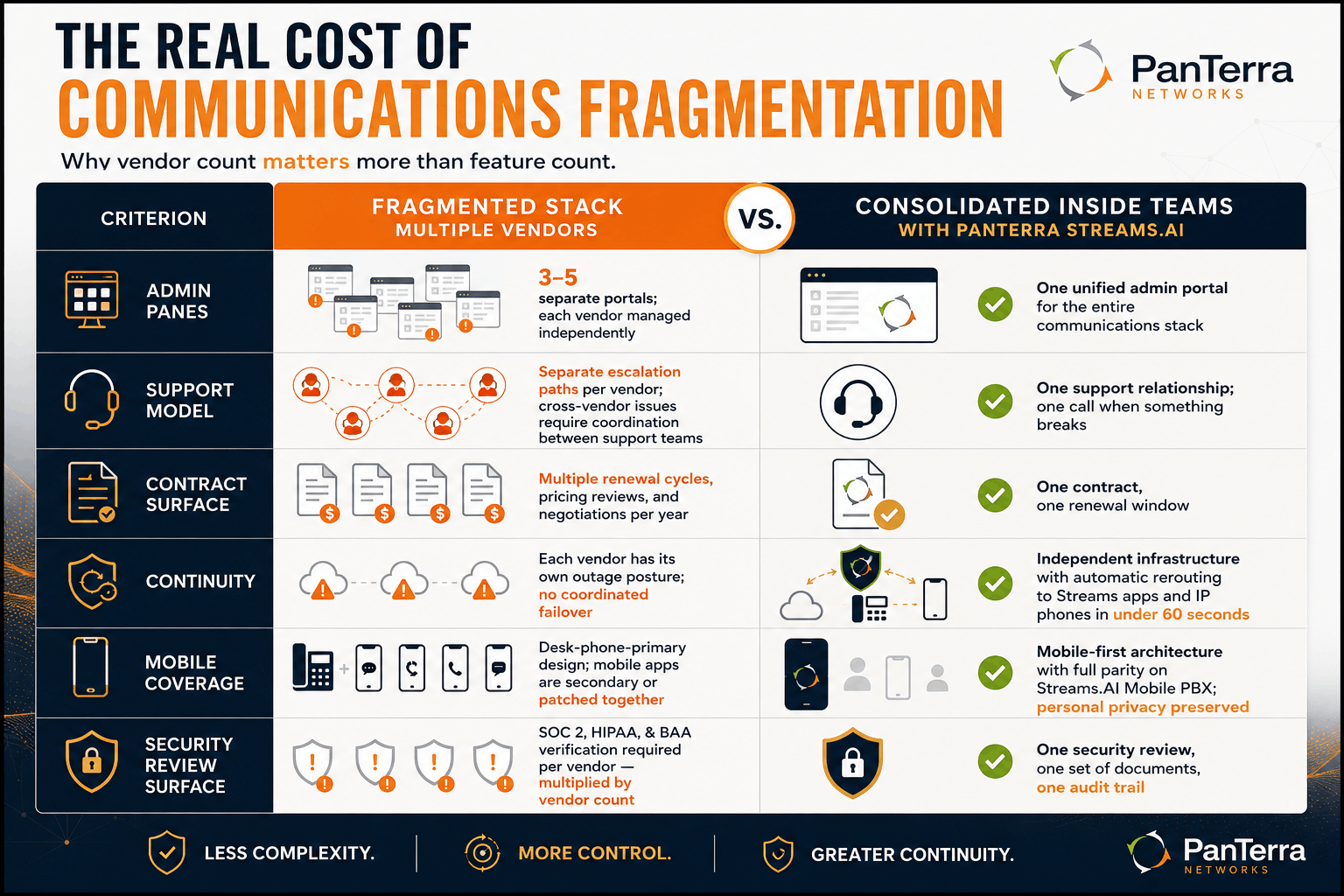
Here is the scorecard I walk IT directors through:
|
Criterion |
Fragmented stack (multiple vendors) |
Consolidated inside Teams |
|---|---|---|
| Admin panes | 3–5 separate portals; each vendor managed independently | One unified admin portal for the entire communications stack |
| Support model | Separate escalation paths per vendor; cross-vendor issues often require coordination between support teams | One support relationship; one call when something breaks |
| Contract surface | Multiple renewal cycles, pricing reviews, and negotiations per year | One contract, one renewal window |
| Continuity when Teams is down | Each vendor has its own outage posture; no coordinated failover | Independent infrastructure with automatic rerouting to Streams apps and IP phones in under 60 seconds |
| Mobile coverage | Desk-phone-primary design; mobile apps are secondary or patched together | Mobile-first architecture with full parity on Streams.AI Mobile PBX; personal privacy preserved |
| Security review surface | SOC 2, HIPAA, and BAA verification required per vendor — multiplied by vendor count | One security review covers the full communications stack |
The trade-off worth understanding: the per-vendor overhead is invisible until something goes wrong. A failed integration after a Microsoft update, a support escalation that bounces between vendors, or a continuity gap during an outage — these are the moments when fragmentation cost becomes legible. Verified buyer reviews on TrustRadius consistently surface this pattern: buyers who consolidate describe the before/after in operational terms, not feature terms.
What Consolidation Inside Teams Looks Like
When IT teams decide the vendor count is too high, the most practical path is one that keeps the Microsoft Teams interface employees already know. No user retraining. No new primary workspace.
PanTerra's Streams.AI for Microsoft Teams is built on that model. It runs inside the Teams interface on independent infrastructure. One license covers:
- Enterprise voice — inbound/outbound calling, call recording, auto attendants, and call queues
- Business SMS and MMS — from company numbers, inside Teams
- Secure fax — delivered as HIPAA-compliant PDFs
- Visual voicemail with transcription — synchronized across devices
- Contacts and call history sync — consistent across Teams and Streams clients
- Luna AI — conversational AI receptionist with human handoff logic
- Unified admin portal — one management pane for all of the above, with Microsoft Entra ID integration, SCIM provisioning, SSO, and MFA enforcement
No Microsoft Teams Phone licenses required. One admin portal. One support relationship. Managed deployment averages 11 days to full production go-live. Pilot deployments take as little as 3 days.
How to Decide If Consolidation Is Right for Your Environment
Consolidation is not always the right answer. It is the right question.
Consolidation tends to make sense when:
- You are managing three or more separate vendor relationships for your communications stack
- Your IT team spends meaningful hours per month on cross-vendor integration issues or support calls that bounce between vendors
- Any one communications tool going down creates a resolution gap with no clear owner
- Your organization has compliance requirements — HIPAA, HITECH, SOC 2 — that need to be verified per vendor, multiplied across however many vendors you have
Consolidation is less urgent when:
- You are on Microsoft 365 E5, have simple calling-only needs, and have no SMS, fax, or mobile calling requirements
- Your IT team manages the current vendor complexity without material strain
The audit is simple: count the vendors in your communications stack. Count the admin portals. Count the support calls in the last 12 months that required cross-vendor coordination. What businesses actually need to evaluate is whether the cumulative cost of that vendor footprint is a deliberate choice — or one nobody has ever added up.
FAQ
Does Streams.AI for Teams replace Microsoft Teams?
No. Streams.AI runs inside the Teams interface. Employees keep using Teams for meetings, messaging, and files. The Streams.AI layer adds enterprise calling, SMS/MMS, fax, visual voicemail, and AI receptionist — all inside Teams — while running on independent infrastructure.
What if my organization is already on Microsoft 365 E5?
E5 includes Teams Phone Standard, which lowers the licensing argument for consolidation. But E5 does not remove admin fragmentation if you have separate SMS, fax, or mobile tools. The consolidation case depends on how many vendors you have alongside Teams, not just your M365 tier.
How long does migration take?
PanTerra's managed deployment averages 11 days to full production go-live. Pilot deployments are possible in as little as 3 days.
What compliance coverage is included?
HIPAA and HITECH compliance, SOC 2 Type II certified infrastructure, Entra ID integration, SCIM provisioning, MFA enforcement, AES-256 encrypted voice and messaging, and BAAs. One security review covers the full communications stack.
What This Adds Up To
The vendor count behind your Teams workspace compounds quietly. Every vendor added brings a contract, an admin pane, a support relationship, and a security review. The cost is not visible in a feature comparison — it shows up in IT hours, in support escalations, and in the moments when one vendor points to another during an incident.
The consolidation question is worth asking before the complexity becomes acute. Read the full platform announcement in the PanTerra newsroom, or explore how Streams.AI consolidates the stack at the platform overview page.
.jpg?width=500&height=500&name=Are%20you%20Getting%20a%20Good%20Deal%20(1).jpg)
Comments